
System requirements guide | Official Steam check: 24 September 2026
Mistfall Hunter System Requirements: Minimum and Recommended PC Specs
Check the official Mistfall Hunter minimum and recommended PC requirements, storage, SSD note, and practical steps before you buy or install.
Quick answer: check the official rows first
The official Steam listing currently asks for Windows 10 64 bit, 12 GB of RAM, a GTX 1060 or Radeon RX 580 class graphics card, DirectX 12, broadband internet, and 45 GB of available storage at minimum. The recommended row moves to 16 GB of RAM and an RTX 2070 or Radeon RX 5700 XT class GPU. Both rows repeat the SSD recommendation.
Those figures answer the compatibility question, but they do not promise a fixed frame rate. A minimum requirement is a store-side baseline for starting the game, not a guarantee that every scene will feel smooth at a chosen resolution. Driver versions, background software, thermals, laptop power limits, resolution, graphics settings, and the size of a future patch can all change the result.
Use this page as a pre-purchase checklist. Compare your actual processor, graphics card, memory, operating system, and free space with the table below, then open the official Steam page for the latest wording. This fan guide does not distribute files or claim to certify a PC that has not been tested in the game.
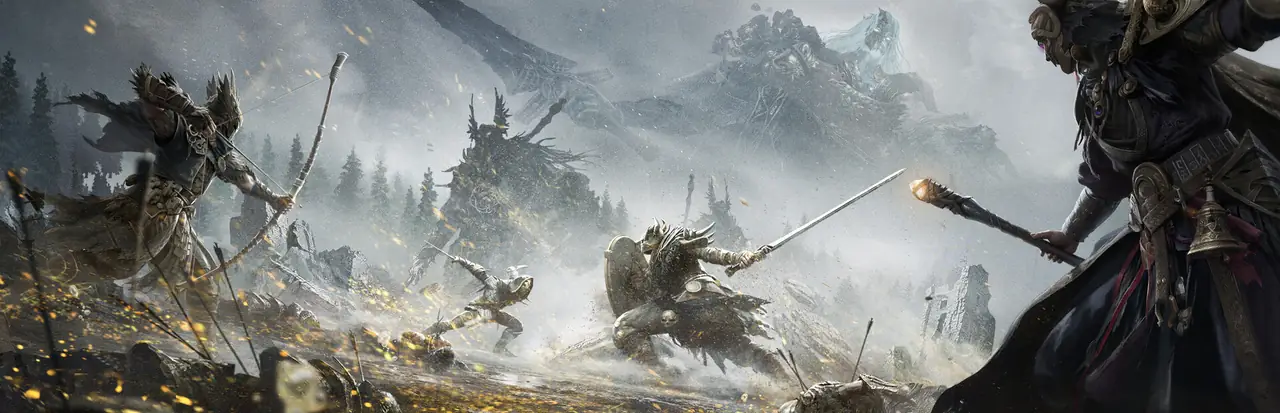
Official Mistfall Hunter PC requirements
| Component | Minimum | Recommended | How to read it |
|---|---|---|---|
| Operating system | Windows 10 64 bit | Windows 10 64 bit | A 64-bit Windows install is required in both rows. |
| Processor | Intel Core i7-4770 / AMD Ryzen 5 1400 | Intel Core i7-9700 / AMD Ryzen 5 3600 | Compare the model, not only the brand or advertised boost clock. |
| Memory | 12 GB RAM | 16 GB RAM | Leave headroom for Windows, a browser, voice chat, and background tools. |
| Graphics | NVIDIA GTX 1060 / AMD RX 580 | NVIDIA RTX 2070 / AMD RX 5700 XT | GPU generation, VRAM, drivers, and laptop power limits still matter. |
| DirectX | Version 12 | Version 12 | Keep Windows and the graphics driver current before troubleshooting. |
| Network | Broadband internet | Broadband internet | The listing gives no stable bandwidth target; connection quality affects online play. |
| Storage | 45 GB available space | 45 GB available space | Free space is not the same as the installed game size after updates. |
| Additional note | SSD strongly recommended | SSD strongly recommended | An SSD can reduce loading friction, but it does not upgrade a weak GPU. |
How to compare your PC without guessing
Start with the graphics card because the minimum and recommended rows show the largest practical jump there. Search the exact GPU model in Windows Task Manager or the vendor control panel. A name such as “RTX” or “Radeon” is not enough by itself: two cards in the same family can have different memory, laptop wattage, and cooling limits. Desktop and laptop versions should be treated as separate comparisons.
Then check the processor and memory. The minimum CPU row is older than the recommended row, so a machine can meet the named GPU line while still feeling limited by CPU-heavy scenes or background work. Twelve gigabytes of RAM is the store baseline; if Windows, a browser, Discord, recording software, or an overlay already consumes several gigabytes, 16 GB gives a more comfortable margin.
Finally, confirm storage and the operating system. Keep more than the listed 45 GB free if your drive is nearly full, because patches, shader caches, and Windows updates also need working room. Installing on an SSD follows the store's explicit note. It can improve load times and reduce texture-streaming friction, but it cannot turn a below-minimum CPU or GPU into a recommended system.
CPU: compare the exact model
Use the full model name from Task Manager, BIOS, or a trusted hardware utility. A newer mid-range CPU may behave differently from an older high-end chip even when the names look similar. Treat the official model rows as reference points rather than a universal ranking.
GPU: desktop, laptop, and VRAM are not interchangeable
Check whether your card is a laptop variant and note its dedicated memory. A laptop GPU with the same label can have a lower power limit. If your card is close to the minimum, plan to test low settings and a conservative resolution before carrying valuable gear into a long run.
RAM and storage: leave operating room
The game needs memory and disk space at the same time as Windows and your normal tools. Close unnecessary launchers, keep the drive comfortably below full, and avoid treating the exact 45 GB number as a permanent update budget.
What the requirements do not tell you
Steam's requirements do not publish a target frame rate, resolution, preset, ray-tracing mode, or VRAM recommendation. They also do not say how performance changes in a busy extraction, during a boss encounter, or after a content patch. That is why a PC that technically passes the minimum row may still need a settings pass before a serious session.
Online play adds another variable. The listing asks for broadband internet, but a single bandwidth number would not capture ping, jitter, packet loss, Wi-Fi interference, or regional matchmaking. If combat feels delayed, separate a local frame-rate problem from a network problem before replacing hardware. The player-count guide can help you think about queue timing; this page is about local compatibility.
Use community performance reports as examples, not guarantees. Match the report to your CPU, GPU, RAM, resolution, driver, and settings. A video made on a desktop RTX card cannot certify a thin laptop with the same product family name. Record your own temperatures, frame pacing, and settings during a low-risk test run, then decide whether the result is acceptable for your play style.
Compatibility decisions after the first comparison
| Your situation | Practical next step | Reason |
|---|---|---|
| Below the minimum CPU or GPU | Do not treat the page as a pass; upgrade or wait for verified testing. | The official baseline is already missed. |
| Meets minimum, but only 12 GB RAM | Close background apps and test before buying extra hardware. | Memory headroom may be the limiting factor. |
| Meets GPU and CPU, but drive is nearly full | Free space and install on an SSD when possible. | Patches and caches also need working room. |
| Meets recommended on a laptop | Check power mode, thermals, and the exact mobile GPU. | Laptop variants can perform below desktop equivalents. |
| Specs are unknown | Read the model names from Windows before deciding. | A vague “gaming PC” label is not a comparable specification. |
A five-minute pre-install check
1. Open Windows Settings or Task Manager and copy the exact Windows edition, CPU model, installed RAM, and GPU model. 2. Compare each line with the official table rather than relying on a single benchmark score. 3. Confirm at least 45 GB is free and prefer an SSD with additional room for updates. 4. Update the graphics driver and Windows, then close overlays that you do not need. 5. If you are near the minimum, plan a short low-risk run to observe frame pacing and temperatures before judging the game.
Do not confuse the official store requirements with a download promise. The listing is the authoritative place to verify the current game package, price, platform, and requirement text. This site links to Steam for that reason and does not provide a mirror, key, installer, or safety scan. If the store changes the numbers, use the live official page over an older guide snapshot.
The useful decision is not simply “can it launch?” Ask whether the machine can launch, keep a stable enough frame rate for your preferred fights, and leave room for the extraction decisions that make Mistfall Hunter demanding. When the answer is uncertain, lower the risk of the test: use a safe class direction from the class guide, avoid carrying irreplaceable gear, and write down what changed after every setting adjustment.
What to record during a test
Note resolution, preset, frame-rate cap, GPU usage, CPU usage, temperatures, and whether the issue is a hitch, a low average, or a network delay. One observation is not a universal benchmark, but it gives you a useful baseline for your own machine.
When to re-check
Revisit the official Steam requirements after a major patch, a driver change, a hardware upgrade, or a move from desktop to laptop. Requirements can stay the same while real-world performance shifts with content and software updates.
Mistfall Hunter system requirements FAQ
What are the minimum Mistfall Hunter system requirements?
The official Steam listing currently names Windows 10 64 bit, an Intel Core i7-4770 or AMD Ryzen 5 1400, 12 GB RAM, a GTX 1060 or RX 580 class GPU, DirectX 12, broadband internet, and 45 GB available space. An SSD is strongly recommended.
What are the recommended specs for Mistfall Hunter?
The recommended row lists Windows 10 64 bit, an Intel Core i7-9700 or AMD Ryzen 5 3600, 16 GB RAM, an RTX 2070 or RX 5700 XT class GPU, DirectX 12, broadband internet, and 45 GB available space. The SSD note also applies.
Can I run Mistfall Hunter with 12 GB of RAM?
Twelve gigabytes meets the official minimum row, but available headroom matters. Close unnecessary apps and test frame pacing on your own PC. Meeting a store baseline is not a fixed FPS guarantee.
Does Mistfall Hunter require an SSD?
The Steam listing strongly recommends an SSD for a better experience. It is presented as an additional note rather than a separate capacity requirement; an SSD can help loading and streaming but cannot replace missing CPU or GPU capability.
How much storage does Mistfall Hunter need?
The current official listing says 45 GB of available space. Keep extra room for updates, shader caches, and Windows because available space can shrink after installation.
Are these requirements a guarantee for 60 FPS?
No. Steam does not attach a fixed FPS, resolution, or graphics preset to these rows. Treat them as compatibility guidance and check settings, thermals, drivers, and network conditions on your own system.